Visible Body Suite
Visible Body Apps LLCMedical
4.559.00 Reviews
- Version
- 7.001.019
- Installs
- 100.00K
- Age Rating
- Everyone
Screenshots

Our Review of Visible Body Suite
 Analysis by Appyee
I often turn to Visible Body Suite when a flat diagram leaves me unsure how one body structure sits in relation to another. This medical app from Visible Body Apps LLC makes anatomy easier to explore visually, especially when I want to rotate a structure, inspect it from another angle, or connect a system to the rest of the body. I find it most useful as a learning companion rather than a substitute for a class, reference book, or professional advice.
Where getting started can feel less simple
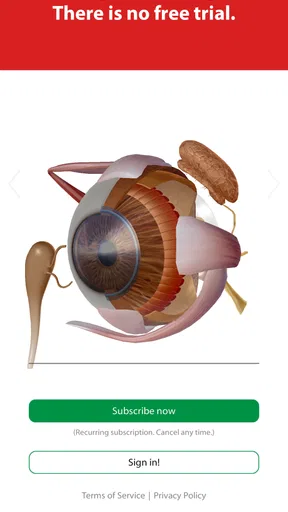
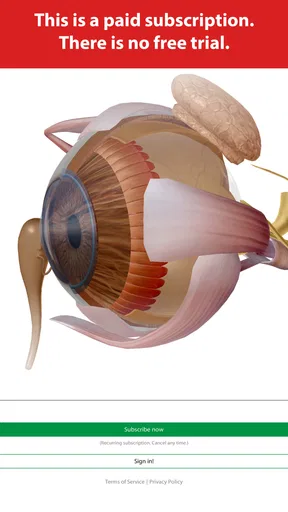
The app is free to install and rated for Everyone, but that does not mean every part of the experience is automatically free. It includes in-app purchases, with items ranging from $34.99 to $199.99, so I would check what access is included before building a study routine around a particular resource. The subscription-based approach can make sense for someone who uses anatomy material regularly; it may feel like too much commitment for a casual look at one body system.
Visible Body Suite has a 4.5 average from around 1.3 thousand ratings, and it has passed 100 thousand installs. Those figures suggest it has found an audience, but they do not tell me whether its layout or depth suits a particular learner. I would treat the first session as a chance to test the way I search and explore, not as a reason to assume every study need will be covered in the same way.
Getting Started with Visible Body Suite
Diving into the Visible Body Suite is pretty straightforward. The app is available for both Android and iOS, and getting it set up is a breeze. Once you’ve downloaded the app, you’re greeted with a clean and intuitive interface. It’s like being handed a virtual scalpel, ready to dissect the intricacies of human anatomy without any mess.
Before relying on it for a lesson or study session, I would check the basics: that the device meets the app’s minimum OS requirement of 12, that the app is updated to version 7.000.043, and that the store account used to install it is the one I intend to use for any paid access. The initial release was on March 7, 2022, but the current version is the more practical detail when troubleshooting. If something seems unavailable, I would first distinguish between a loading or navigation issue and content that requires a purchase.
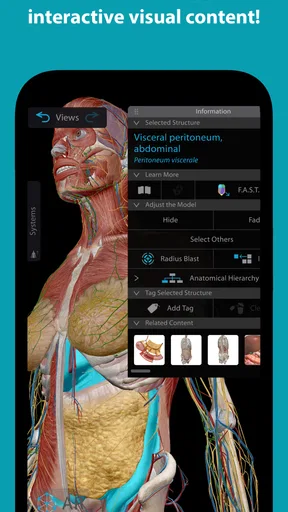
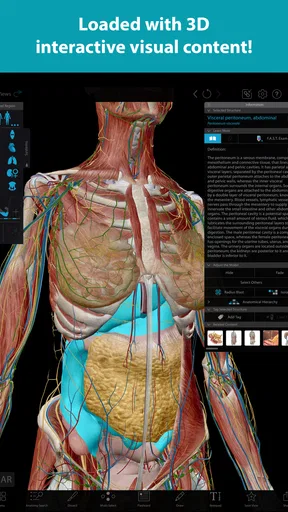
Inside the app, you’ll find a vast collection of models and animations. The developers have done an impressive job of creating 3D visuals that are detailed and lifelike. You can zoom in, rotate, and even dissect models to understand how different systems interact. It’s like having a mini anatomy class in your pocket, and the best part is you can access it anytime, anywhere!
Features That Make It Stand Out
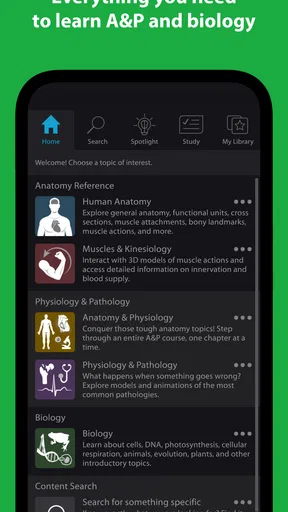
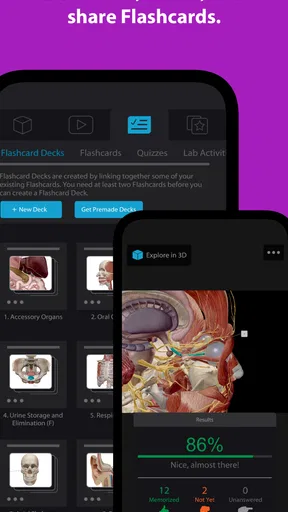
One of the standout features of this app is the sheer depth of content available. We're talking thousands of anatomical models, interactive exercises, and even quizzes to test your knowledge. The developers seem to have thought of everything. Whether you want to explore the skeletal system or dive into the complexities of the nervous system, it’s all there.
The app also includes augmented reality (AR) features, which are truly next-level. Imagine being able to project a 3D model of a heart right onto your desk. It’s a game-changer for visual learners and makes studying human anatomy an immersive experience.
For a focused session, I get more from choosing one question before opening a model: for example, where a structure lies relative to a neighboring one, or how a body system connects to another. I then rotate the model to answer that question instead of wandering through layers without a goal. This small change makes a rich visual library easier to use and helps me notice when I am merely recognizing a picture rather than understanding its position.
User Experience and Accessibility
In terms of user experience, the app is designed with both beginners and experts in mind. The interface is intuitive, and navigating through the different sections feels natural. Plus, there’s a handy search option if you’re looking for something specific.
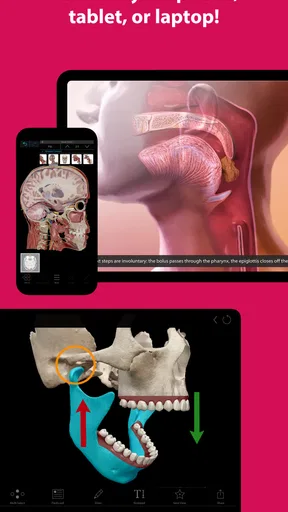
Accessibility is another big win here. The app is available across multiple platforms and devices, meaning you can switch between your phone, tablet, or laptop without losing your place. It’s perfect for those moments when you’re on the go and need to sneak in a quick study session.
A realistic use for me is a short review before a class: I search for a topic, inspect the model from more than one angle, and use an exercise or quiz to see whether I can recall what I just explored. On a phone, that is convenient for a quick check, while a larger screen is better when I want to compare several structures visually. I would not assume that every device interaction feels equally comfortable; fine details are simply easier to inspect when the screen gives me room to work.
If a model or section does not appear as expected, I would recover methodically rather than repeat the same tap. I would return to the main navigation, search for the topic by a broader term, and reopen the relevant area. If the issue seems related to access, I would check the account and purchase status before reinstalling. If the whole app is unresponsive, restarting it and checking for an available update are sensible first steps. These checks do not solve every problem, but they help separate a temporary app hiccup from a content-access question.
Educational Benefits
The educational potential of the Visible Body Suite is vast. For medical students, it’s an invaluable resource. The ability to visualize complex structures in 3D can significantly enhance understanding and retention. It’s like having an anatomy textbook that comes to life.
Even if you’re not in the medical field, this app can be a fascinating tool for anyone interested in learning more about how our bodies function. The quizzes and interactive features make it a fun way to learn, ensuring that it never feels like a chore.
I would use the visual exploration alongside class notes or a trusted textbook, not in place of them. A three-dimensional view is especially helpful when a two-dimensional illustration makes orientation confusing, but it is easy to spend time admiring a model without checking whether I can explain what I have seen. A useful habit is to close the model after studying and try to describe the structure from memory, then reopen it to check what I missed.
Compared with a conventional anatomy atlas, the main appeal here is the chance to manipulate a visual model rather than rely on a fixed illustration. A textbook may be the better choice when I need a carefully structured explanation or want to read without navigating an interactive interface. A basic anatomy reference can be enough for a casual question, too. I would choose Visible Body Suite when spatial exploration and active review are the point, not simply because a more interactive tool is always better.
When a different approach makes more sense
This app is a strong fit for students who learn by looking at structures from several angles, educators preparing a visual explanation, and curious readers who want more than a static picture. It is less suitable for someone who wants only a quick definition, prefers reading over interactive study, or does not expect to use enough material to justify paid access. I would also avoid treating an anatomy model as a way to diagnose symptoms: learning material cannot replace an assessment by a qualified health professional.
Sometimes the app is not the cause of a frustrating session. A search can be too broad, the learner may not yet know the precise term, or the concept may require a written explanation that a model alone cannot provide. In those cases, I would try a wider search phrase, consult course terminology, or pair the visual with notes. If the same content remains inaccessible after checking the relevant account and restarting the app, then it makes more sense to seek help through the appropriate app support channel than to keep repeating setup steps.
Final Thoughts
In conclusion, the Visible Body Suite is a stellar app that combines technology with education in a way that’s both engaging and informative. Whether you’re a student, a healthcare professional, or just someone with a keen interest in human anatomy, this app offers a wealth of resources to explore.
With its user-friendly design, comprehensive content, and innovative features like AR, it sets a high standard for educational apps. So, if you’re ready to embark on a virtual journey through the human body, give the Visible Body Suite a try. It’s learning, reimagined!
My practical advice is to try the free installation with a specific study goal, confirm that the material you need is accessible, and only then decide whether the paid options make sense for your routine. If interactive 3D exploration helps you understand anatomy, I think it can earn a place beside your usual notes. If you need a simple reference or a text-led course, another resource may suit you better.
Verdict
Strengths of Visible Body Suite
- Comprehensive 3D anatomy models.
- Interactive quizzes enhance learning.
- Regular content updates.
- User-friendly interface design.
- Cross-platform synchronization.
Limitations of Visible Body Suite
- Requires large storage space.
- Subscription can be costly.
- High system requirements.
- Limited offline access.
- Occasional loading delays.
Other Releases by Visible Body Apps LLC
View All
Human Anatomy Atlas 2026
Medical4.8
Similar Picks in This Category
View All
WebMD: Symptom Checker
WebMD, LLC4.1

Microphone Amplifier
DOSA Apps4.2

Anatomy Learning - 3D Anatomy
3D Medical OU4.5

Period Tracker and Calendar
SimpleInnovation4.9

GoodRx: Prescription Coupons
GoodRx4.8

CVS Health
CVS Pharmacy4.5
Frequently Asked Questions
What is the Visible Body Suite app used for?
The Visible Body Suite is a comprehensive 3D visualization tool designed for medical professionals, students, and educators. It offers detailed anatomical models of the human body, allowing users to explore and understand complex systems interactively. The app is also used for educational purposes, supporting learning through detailed animations and quizzes.
Does the Visible Body Suite require an internet connection to function?
While the Visible Body Suite can be accessed offline after initial download, certain features, such as updates and additional content, may require an internet connection. Users should ensure they have adequate storage space for offline content and check for any updates that might enhance their learning experience.
Is the Visible Body Suite compatible with both Android and iOS devices?
Yes, the Visible Body Suite is available for both Android and iOS platforms. However, users should verify that their device meets the app's system requirements to ensure optimal performance. Check the app store descriptions for detailed compatibility information and ensure your device has enough memory to handle the 3D models.
What educational features does the Visible Body Suite offer?
The app includes an array of educational tools such as interactive 3D models, animations, quizzes, and detailed descriptions of anatomical structures. These features are designed to enhance learning for students and professionals, making it easier to visualize and understand complex anatomical concepts in a more engaging manner.
Are there any subscription fees associated with the Visible Body Suite app?
Visible Body Suite typically offers a combination of free and paid content. While some features may be accessible for free, others might require a subscription or one-time purchase. Users should review the app’s pricing details in the app store to understand the costs associated with accessing premium content and updates.
